QUICKSTART

Up and running in 3 minutes

The desktop workbench and the modelbuff CLI share one local config — start with whichever fits your flow.

CHAPTER 01 · DESKTOP APP

Desktop Workbench

Four steps to import configs, run dual-window pools, launch account browsers, and connect agents.

  1. 01Install & import
  2. 02Pools & bindings
  3. 03Sign in & browser
  4. 04Connect agents

01

Install the desktop app & import configs

Launch the desktop app and import existing local configs read-only in one click:
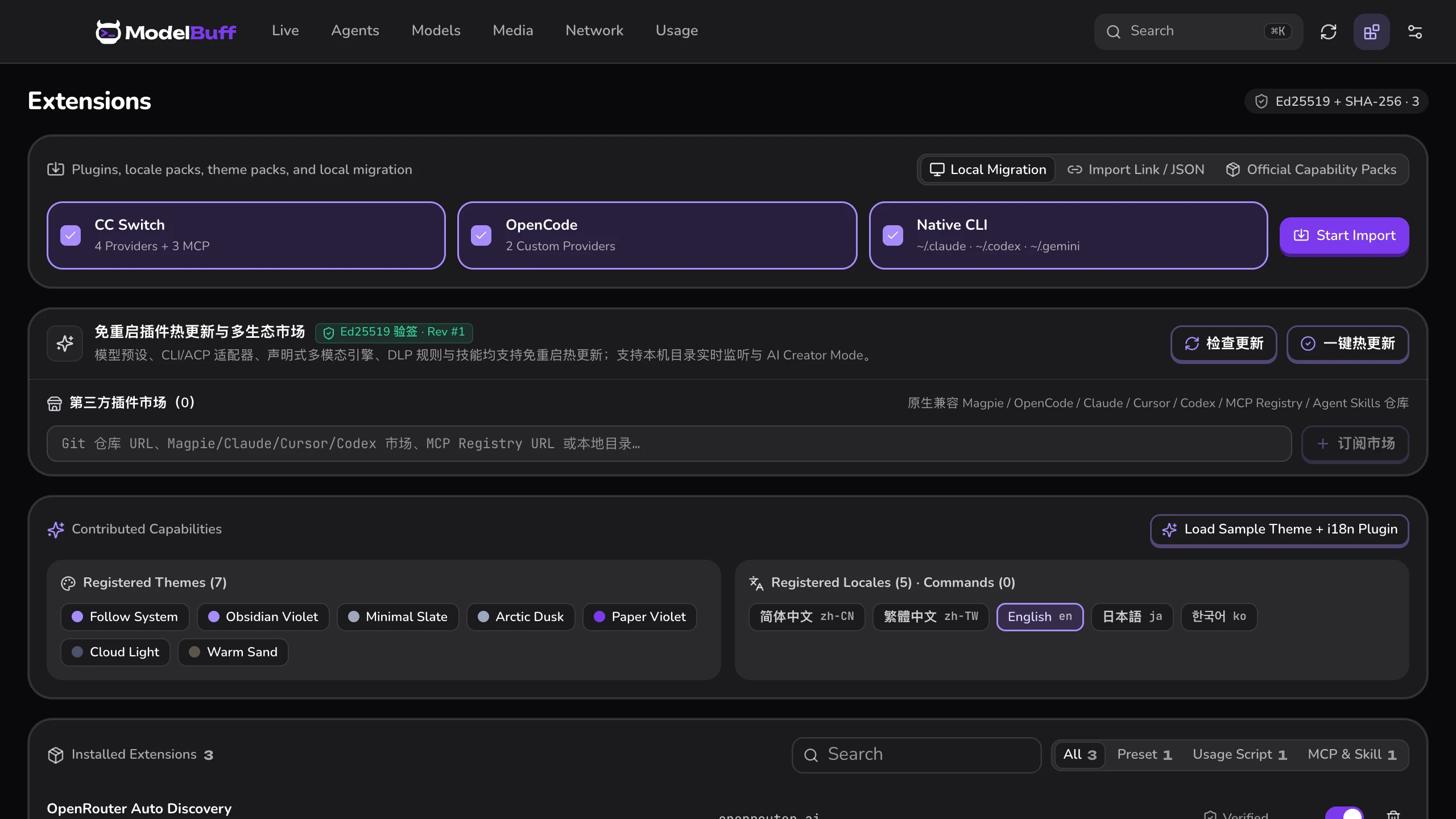
Read-only migration & import
Desktop Step 01: ModelBuff read-only migration and import
Scroll to play

Scan CC Switch, OpenCode, and ccswitch:// links read-only and migrate in one click.

  • Read-only import — migrates CC Switch, Magpie, OpenCode, native CLIs, and ccswitch:// without editing original files.

02

Manage dual-window pools & folder locks

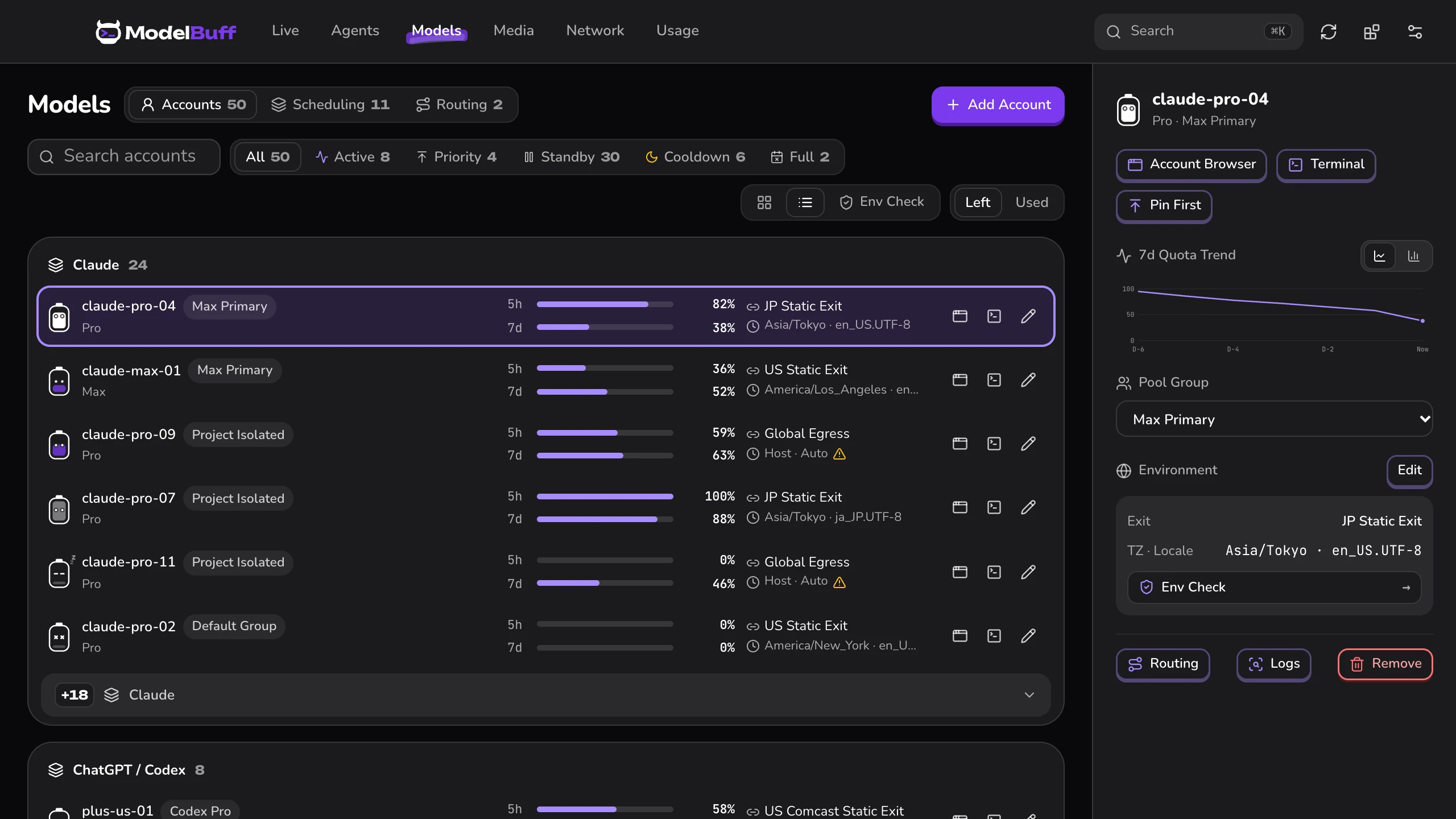
Track 5h / 7d windows per account card and bind project folders to isolated identities:

Dual-window relay & folder lock
Desktop Step 02: ModelBuff subscription pools and folder binding
Scroll to play

Launch account browsers, watch live 429 relay, and lock folders to dedicated accounts.

  • Smart relay — drains expiring 7d quota first, protects idle 5h windows, and hands off live on 429.
  • Folder lock — work and personal directories switch identities automatically with zero mix-ups.

03

Sandbox sign-in, exit probe & account browser

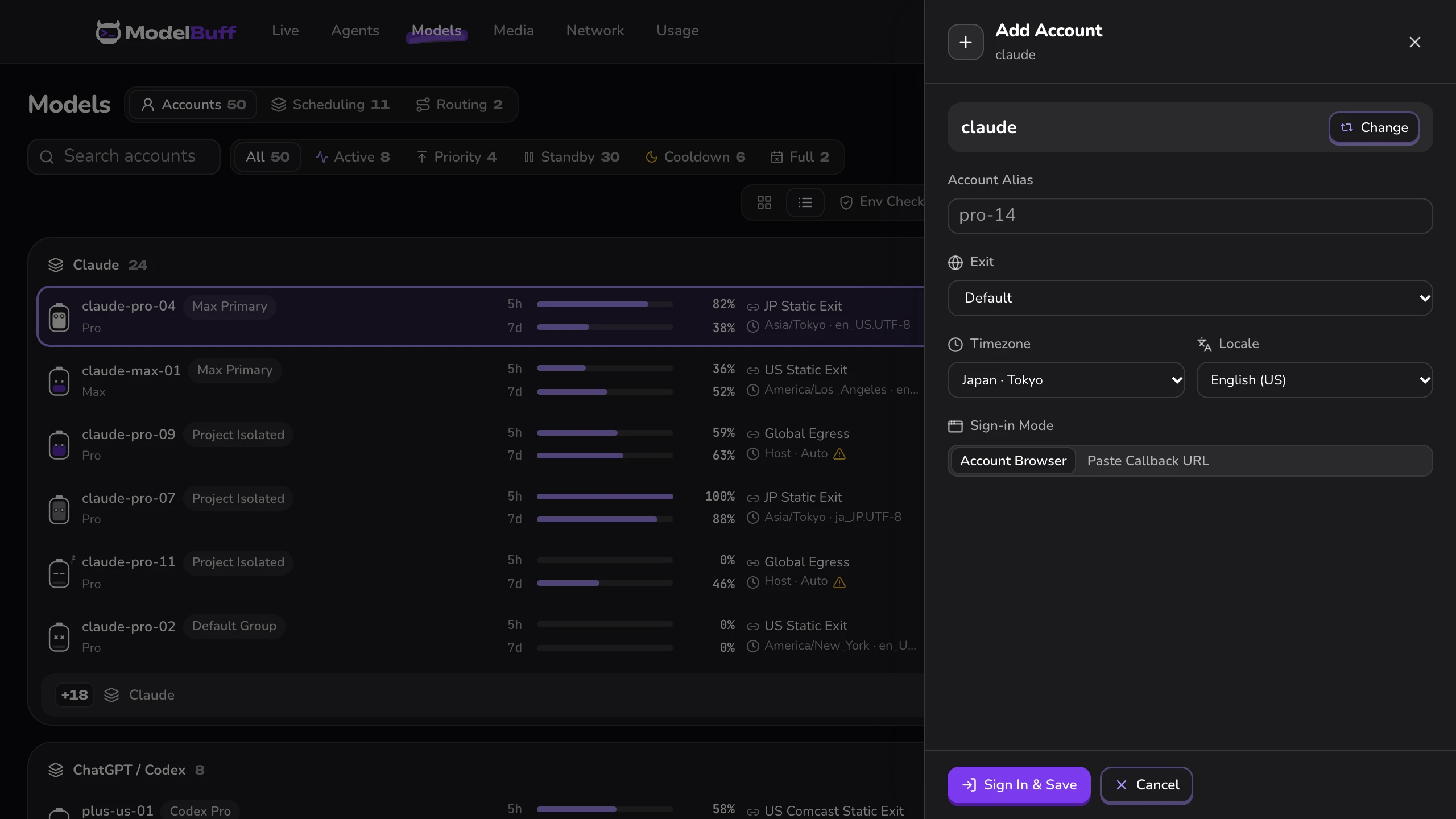
Match timezone and locale to your own exit, sign in inside a born-clean sandbox, and open that account's browser in one click:

Exit-aligned sandbox sign-in
Desktop Step 03: ModelBuff sandbox sign-in and account browser
Scroll to play

Sync exit timezone & locale, sign in inside a sandbox, and launch the account browser.

  • Born clean — host credentials stay outside; you complete sign-in, phone, and 2FA checks yourself with zero interception.
  • Exit probe & browser — Test All in Network Proxies checks latency & exit IP; cards open color-badged Chrome/Edge on the same exit, blocking local DNS & non-proxied WebRTC.

04

Connect agents & the redaction gateway

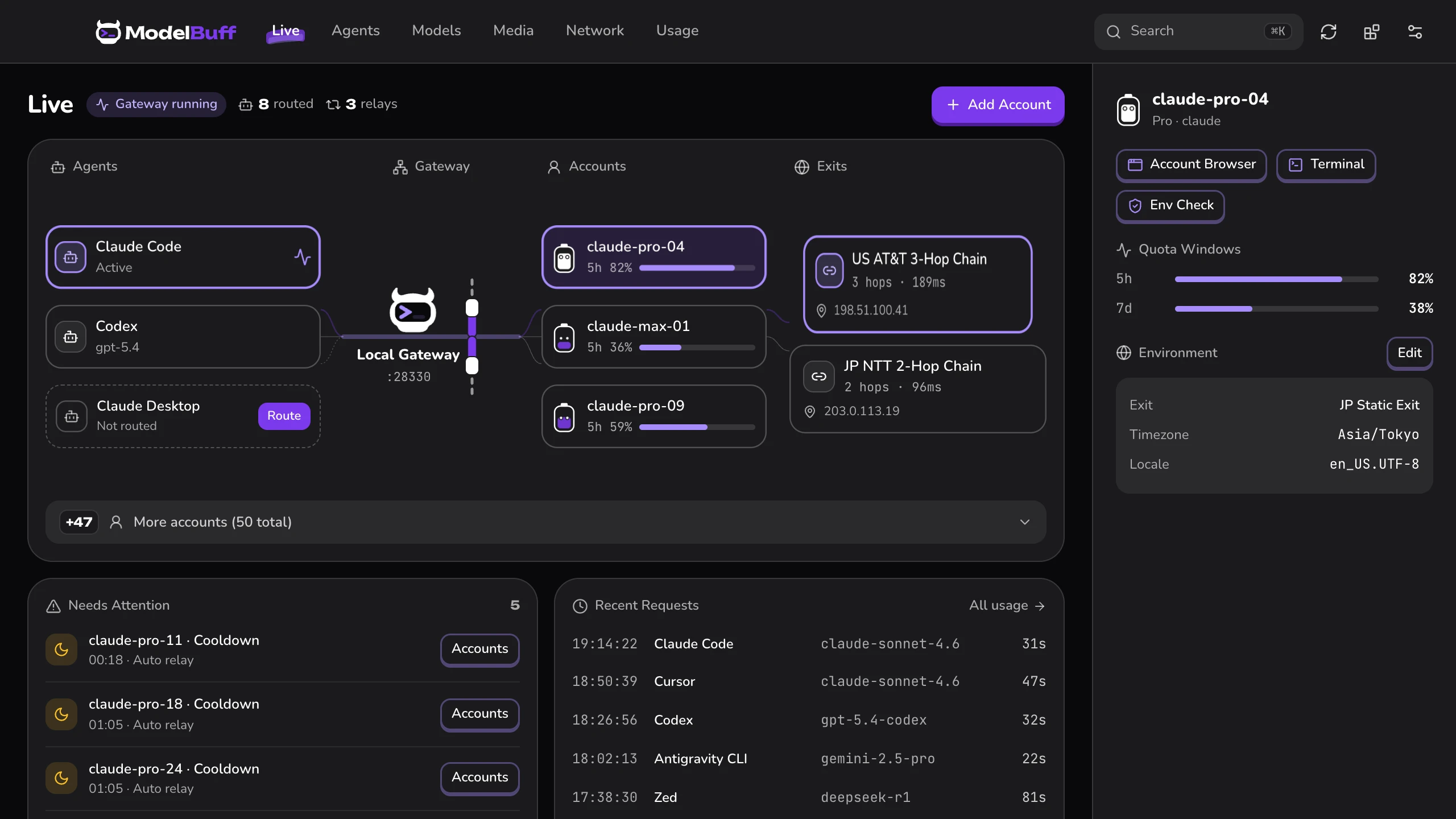
Enable your coding agents in one click — keep your agent while swapping models freely:

Model switching & local gateway
Desktop Step 04: ModelBuff agent routing and local gateway
Scroll to play

Swap models without changing agents, or connect tools to 127.0.0.1:28330.

  • Keep your agent — one-click setup for Claude Code, Codex, Cursor, Antigravity, Gemini CLI, and OpenCode.
  • Redaction gateway — listens on 127.0.0.1:28330, masking keys and aliasing paths without hurting cache hits.

CHAPTER 02 · CLI

The modelbuff CLI

Zero GUI dependencies for terminal and SSH / WSL2 — shares ~/.modelbuff/config.toml with the desktop app.

  1. 01Install CLI
  2. 02config.toml
  3. 03Sign in & browser
  4. 04Status & gateway

01

Install the CLI & initialize PATH shims

Install the standalone CLI and lightweight PATH shims in one line, then keep running official commands:

CLI install & PATH shim setup
terminal — zsh · ~
curl -fsSL https://go.modelbuff.com/install.sh | sh
export PATH="$HOME/.modelbuff/shims:$HOME/.modelbuff/bin:$PATH"
modelbuff shims install
Scroll to play

Install the zero-GUI modelbuff CLI in one line and enable automatic directory shims.

  • Zero-GUI binary — native Rust with no admin required across macOS, Linux, and WSL2 (< 15ms cold start).

02

Declare identities & bindings in config.toml

Declare directory rules, timezone, and locale in one config shared live with the desktop app:

Isolated identity & folder binding config
~/.modelbuff/config.toml
bat ~/.modelbuff/config.toml
[identities.claude-us]
bindings = ["~/work/**"]
timezone = "America/Los_Angeles"
locale = "en_US.UTF-8"
 
[identities.claude-us.cli.claude]
mode = "official_auth"
Scroll to play

One local ~/.modelbuff/config.toml declares folder bindings, aligned locale/TZ, and official CLI mode.

  • Chained exits — add an egress line pointing to [proxies.<name>] so CLIs and browsers share one clean route.

03

Sandbox sign-in, account browser & doctor

Sign in through the official CLI inside a sandbox, launch the account browser, and verify health:

Sandbox sign-in, account browser & doctor
terminal — zsh · ~/work/acme-core
modelbuff login --identity claude-us claude
modelbuff browser open --identity claude-us
modelbuff identity list
modelbuff doctor
Scroll to play

Sign in natively inside the sandbox, launch its account browser on demand, and verify with doctor.

  • Exit & health checks — run modelbuff egress check --identity claude-us to verify reachability, actual exit IP, remote DNS, and latency; modelbuff doctor checks sandbox boundaries fail-closed.
  • Account browser — modelbuff browser open launches that account's native Chrome/Edge on the same fixed exit with an isolated 0700 profile.

04

Inspect status & start the local gateway

Keep running claude or codex normally in bound folders; check status or serve the gateway anytime:

Live status & local redaction gateway
terminal — zsh · ~/work/acme-core
modelbuff status
modelbuff gateway serve
Scroll to play

Inspect the directory-bound identity and quota windows, then serve the local multi-protocol redaction gateway.

  • Loopback only — binds 127.0.0.1:28330 for OpenAI, Anthropic, and Gemini; adjust [gateway].port if needed.
Download ModelBuffmacOS · Windows · Linux